> ## Documentation Index
> Fetch the complete documentation index at: https://docs.viewcomfy.com/llms.txt
> Use this file to discover all available pages before exploring further.
# App hub
The app hub is the space for all your production apps. When your playground users log in to ViewComfy, they will be automatically redirected to your hub and can access the apps there.
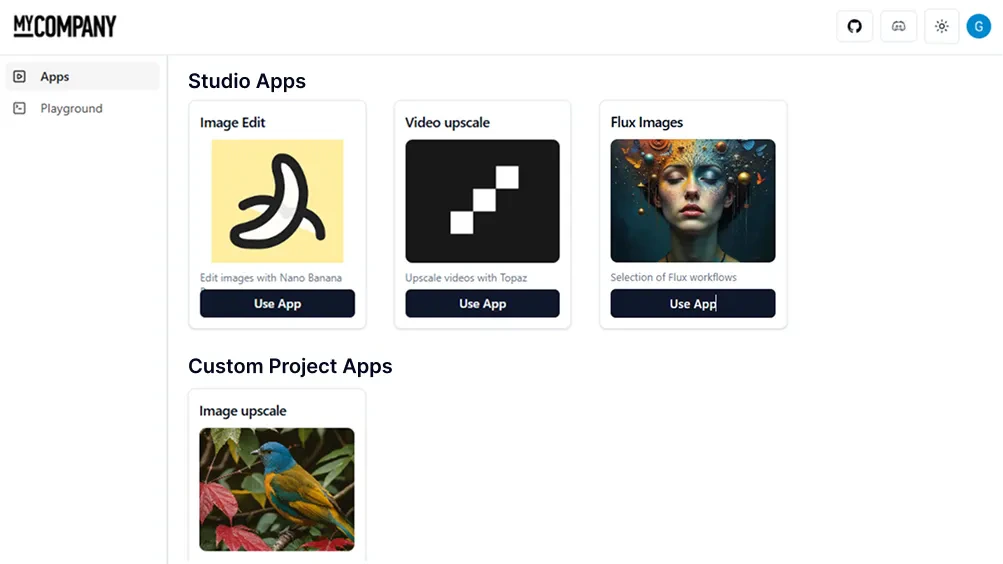 ## Add an app to your hub
To add an app to your hub, you need to select the app hub radio button next to your app name.
## Add an app to your hub
To add an app to your hub, you need to select the app hub radio button next to your app name.
 ## Brand the app hub
To add your company logo and name to your app hub, you can use the Apps Branding button at the top of the app dashboard.
## Brand the app hub
To add your company logo and name to your app hub, you can use the Apps Branding button at the top of the app dashboard.