> ## Documentation Index
> Fetch the complete documentation index at: https://docs.viewcomfy.com/llms.txt
> Use this file to discover all available pages before exploring further.
# Create a deployment (deploy a workflow)
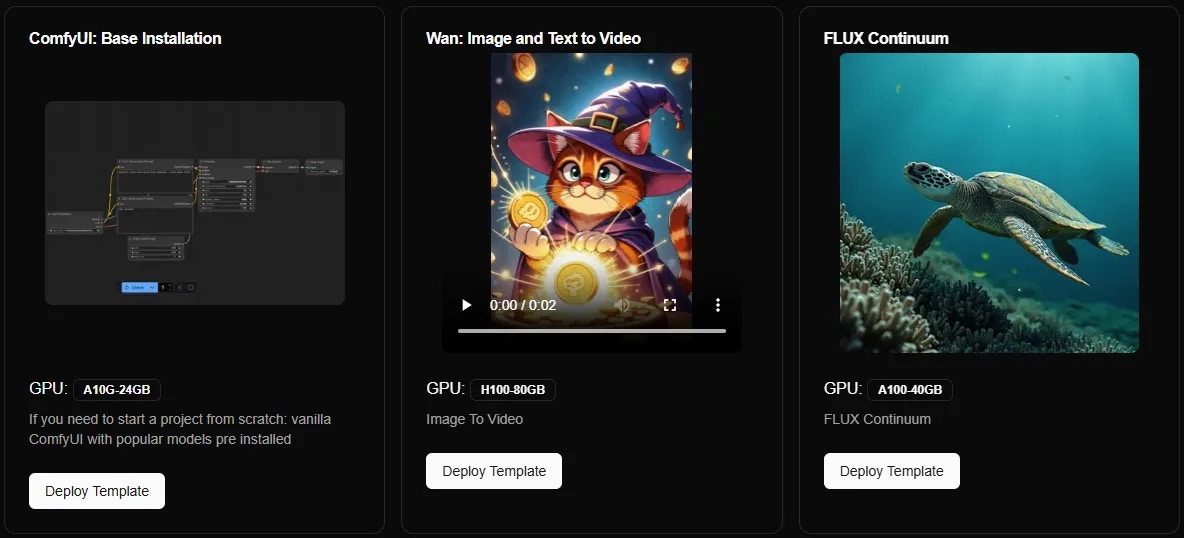
To create a deployment, you need to either deploy one of your workflows or one of our prebuilt templates. If you want to build a workflow from scratch, we recommend using the "ComfyUI: Base Installation" template.
## Deploy your own workflow
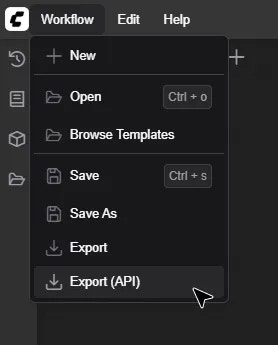
To deploy one of your workflows, you will need the workflow\_api.json for that workflow. This file can be exported from the Comfy interface.
 Once you have the workflow\_api.json ready, drop it in the "Deploy your own" tab. You will then need to give your deployment a name and select a GPU. You can change those settings later, so don't worry if you are not sure which ones are best for your workflow.
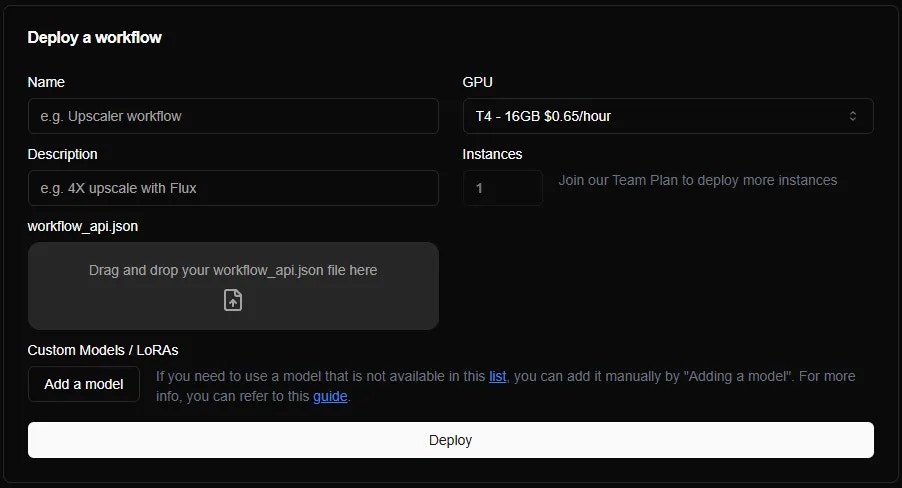 After you click "Deploy", our system will install the custom nodes it recognises and download the models that are on our [list](https://github.com/ViewComfy/cloud-public/blob/main/supported_weights.md). Once the deployment process is over, you will be able to install more custom nodes and download new models.
Most dependencies can be added from the manager, but if for some reason this is not enough, please get in touch ([team@viewcomfy.com](mailto:team@viewcomfy.com)).
## Deploying from a template
If you don't have a workflow to deploy, you can use one of our pre-built templates. They include a curated selection of ready-to-go workflows, as well as a base installation of Comfy for when you need to build a workflow from scratch.
After you click "Deploy", our system will install the custom nodes it recognises and download the models that are on our [list](https://github.com/ViewComfy/cloud-public/blob/main/supported_weights.md). Once the deployment process is over, you will be able to install more custom nodes and download new models.
Most dependencies can be added from the manager, but if for some reason this is not enough, please get in touch ([team@viewcomfy.com](mailto:team@viewcomfy.com)).
## Deploying from a template
If you don't have a workflow to deploy, you can use one of our pre-built templates. They include a curated selection of ready-to-go workflows, as well as a base installation of Comfy for when you need to build a workflow from scratch.